Follow the steps below to set up your Home Page using the Vcard Resume Template:
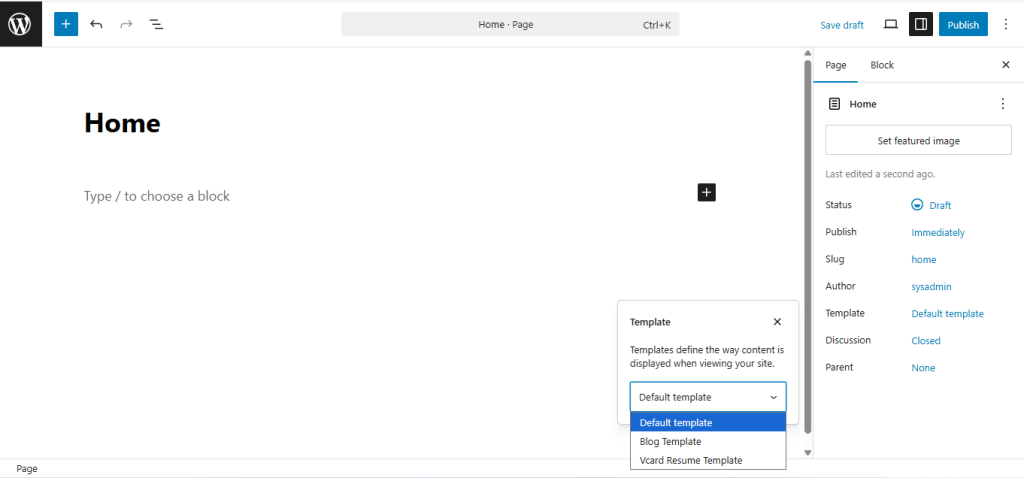
🔧 Step 1: Create a New Page
- Go to your WordPress Dashboard → Pages > Add New
- Give your page a name, such as “Home”
- On the right-hand sidebar, locate the Template option
- Select Vcard Resume Template from the dropdown
- Click Publish
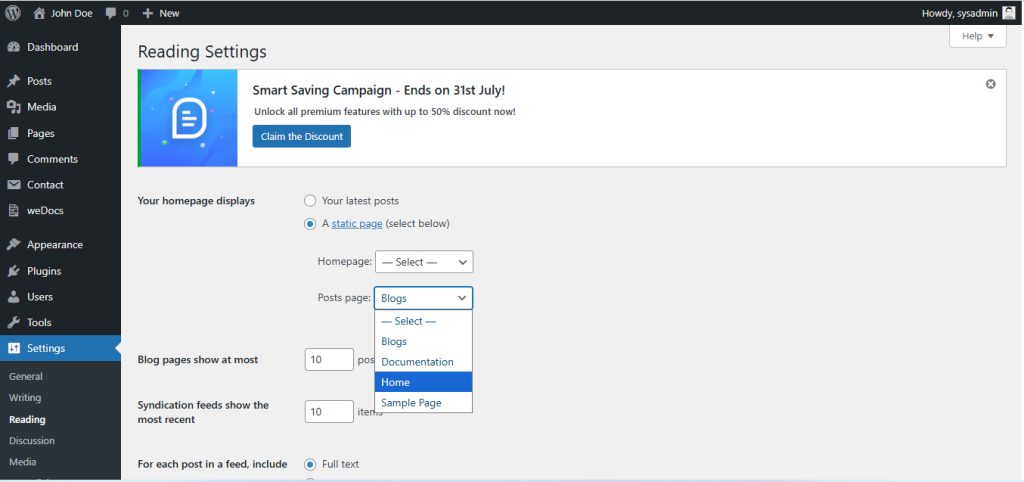
🏁 Step 2: Set the Page as Your Homepage
- Navigate to Settings > Reading from the Dashboard
- Under Your homepage displays, select:
✔️ A static page (select below) - In the Homepage dropdown, choose the page you just created (e.g., “Home”)
- Click Save Changes
✅ Your Vcard Resume template is now set as the homepage of your site!